You can view and download invoices for your transactions once an order is marked as “Delivered” or 25 days after it’s been shipped, whichever comes first.
There are two ways to find your invoices in the Dashboard:
Access all invoices from the Billing section
- Go to Billing → Payments to see a full list of your transactions.
- You can filter them by:
- Date range
- Store
- Billing method
- Transaction status
This is the easiest way to track and manage multiple invoices at once.
Download an invoice from a specific order
- Go to Orders → Fulfilled, and click on the specific order you need an invoice for.
- Scroll down to the bottom.
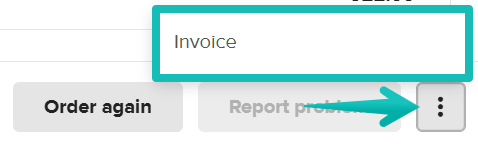
- Click the three dots button.
- Select Invoice to download it.
Still need help? Our Support Team is here for you—reach out anytime through our contact form or start a chat with us.